


By Darlene Killen, founder of The Visible Practitioner
I build things with AI because the task annoys me. Handing out business cards is one of those tasks. They get put in a drawer and forgotten, and I’m horrendous with names, so half the time I’ve forgotten too.
So I rebuilt my card. I didn’t change the paper. I changed what happens when someone scans it.
Why a business card
I work from my house, so I don’t meet many customers or businesses in a normal day. So I go to a lot of networking events.
I go to learn about different business problems and see how I can help owners build solutions that run their business more efficiently. So they can do the parts that light them up instead of the parts that are incredibly annoying.
Like handing out business cards. Or scanning them in for the one-to-one meetings later.
The names thing
I’ll remember the strange story someone told me, or why their favorite color is what it is. Names, no. I can’t even land on a name that rhymes with their real one. It’ll be completely wrong, and it’s embarrassing.
I doubt I’m the only one. My brain is full of everything else: what my business needs, what my clients need, to-do lists, taxes. It’s not on purpose. It’s just how it is.
So I built something into my own business card to make me, and my business, more memorable to the people I meet. And to let the AI platforms know I exist, this is what I do, and I’m good at it.
What the card does now
1. It saves my contact. Not just name and number. My Substack, my LinkedIn, my book-a-call link, and a notes section about what my business is and what I do, because that never fits on a paper card.
Having it on the digital card makes it easy to pass along. And when somebody sits down for a one-to-one with me, they already have something to talk from.
2. It opens a web page about me that Google and AI can read. That page links to my LinkedIn and my Substack, so AI has a real page to pull from when someone asks it for a recommendation.
What that saves
The two things a solo owner never has enough of: time and money.
You’re not typing in contacts by hand.
You’re not chasing people down after an event.
You don’t have a monthly software bill to keep all that information at your fingertips.
The other direction
When someone hands me their card, I take a photo of it in Claude, inside a project I set up for this.
Claude pulls the information off the card and searches online for everything it can find on that person and their business. So I walk into the one-to-one with talking points.
It also checks whether they’re in networking groups worth my time, and whether their industry could open up a web of connections for me.
That one gets its own post.
If this sounds like you
If you’ve got an issue like this in your own life, handing out business cards and feeling forgotten, that’s what I do.
I help business owners figure out what’s eating their time, the repetitive things nobody wants to do anyway. Then we build a solution together out of the tools you already have. You don’t learn a new app.
I also help businesses get recognized by AI. Not just by name. Actually recommended by AI platforms as the answer to someone’s problem.
So how does this card outsmart Google?
Most visibility advice is a fight to rank on Google’s results page. You optimize. You wait. Then you lose the first page to bigger sites with bigger SEO budgets.
This card skips that fight.
Instead of ranking a page, it turns me and my work on Substack and LinkedIn into a clean entity that AI can read and repeat.
When you ask AI for a recommendation, you get a very short list. Three names, maybe. Not ten or twenty blue links across multiple pages.
This card’s job is to make me one of those three names when someone is looking for the kind of work I do.
The key to being found by new customers through AI is not ranking higher on Google. Several of the big AI platforms don’t even use Google’s data. It’s about getting named when someone asks AI who to go to.
And once you become a recommendation, it compounds. Other businesses enter the market, and they’re starting from behind a name AI already trusts.
The assumption that’s costing people
Most businesses assume a website and some SEO will carry over into AI results.
The research says otherwise.
HKUST and Rutgers, 2025. Researchers ran 55,936 queries through six AI search engines and compared the answers to Google and Bing. Only 38 percent of the sites AI cited also showed up in traditional search. More than a third of what AI cited never appeared in Google at all.
University of Toronto, 2025. Across 1,000+ consumer queries, about 40 percent of Google’s results were a brand’s own website. In ChatGPT, brand websites dropped to as low as 18 percent. The rest was third-party pages: reviews, publishers, other people writing about you.
Ranking on Google was never the same job as getting named by AI.
And a business that rebranded, changed its offer, or stopped posting on a schedule has given AI a broken trail to follow. It won’t get named.
What I already had
My phone
A free digital-card account
A headshot. A photo of me that I made more professional-looking with AI.
A Substack and a LinkedIn that weren’t connected to anything
I didn’t spend any money until I sent the cards to print, other than my Claude subscription, which I pay for anyway.
I used ChatGPT to make the graphics off the prompt Claude wrote, because ChatGPT makes nicer images than Claude does right now.
What I built
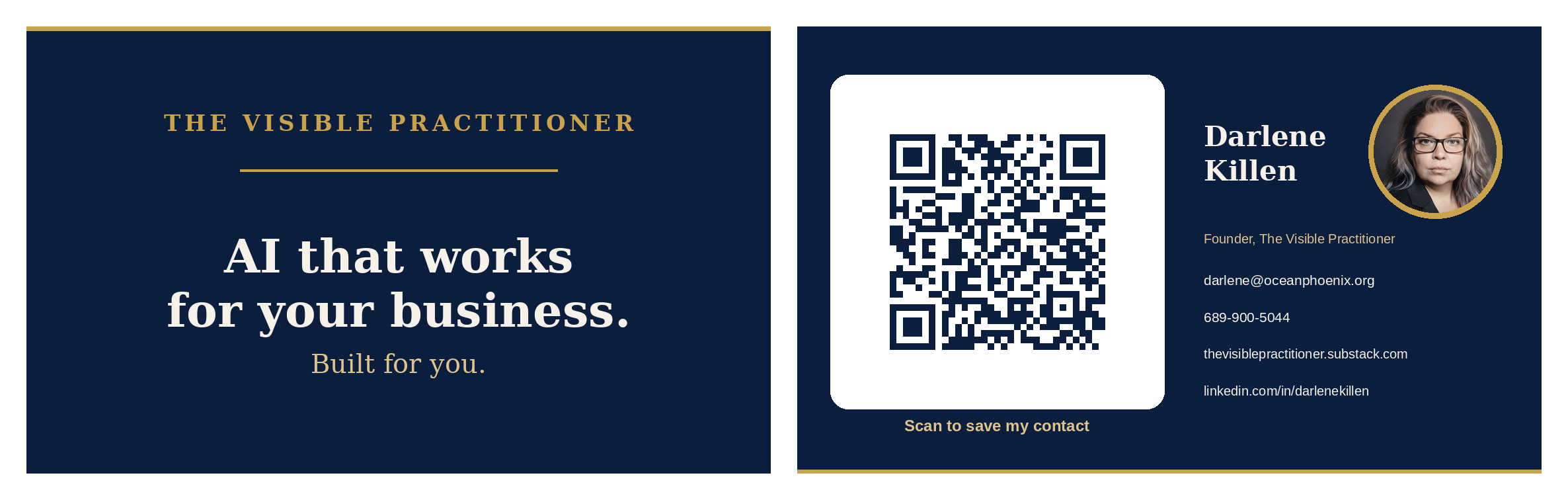
1. The printed card. My brand colors, double-sided. Photo on the front, QR code on the back.
2. Scan-to-save. They scan the QR code and I drop into their contacts in about two seconds. Name, email, phone, and the links. They don’t type anything.
The digital card asks them for a name and number to send back to me so I know who scanned it. They can skip that if they want.
3. The AI-visibility layer. The card is set to be read by Google and Bing.
Google’s index feeds Gemini.
Bing feeds Copilot.
ChatGPT and Claude use their own mix.
So you have to be listed as an entity in both to get picked up. Indexed cleanly, I can show up when someone asks AI for a recommendation even if they never say my name or my business’s name.
4. The cross-links. The card link lives on my LinkedIn and Substack, so search engines have a path to find it.
How it works
I hand someone the card. They scan it. Their phone saves me as a contact in about two seconds.
Nobody’s typing, and no card gets lost in a drawer.
How the AI part actually works
Three steps.
The scan opens a web page. That’s my digital card, a real page on the internet.
Because I turned indexing on, Google and AI crawlers can read it like any site.
When someone asks AI for a recommendation, it pulls the pages that fit and quotes from them.
August: AI couldn’t find me
This was slightly embarrassing.
I pasted my card link into an AI and asked who I was. It came up empty, because the page wasn’t indexed yet.
That was the honest starting line.
Three weeks later: readable, but useless
The page was crawlable now. It was also useless to an AI, and the reason was on me.
The card said who I was. It didn’t say anything about what I do.
Name, title, company, tagline, links. None of that is something an AI can repeat when someone asks who to call.
So I added a paragraph in the notes section on the card page: the two things I do for businesses, that both are done for you, and the city I work from. Or I could teach it. I don’t care which. I just want businesses to do better.
That’s the difference between a card an AI can read and a card an AI can use.
The card makes me readable. The description on the card, along with the writing on my LinkedIn and Substack, is the context that earns the AI recommendation.
What actually earns the citation
Researchers at Princeton and IIT Delhi tested this across 10,000 queries and published it at KDD 2024.
Their finding: the right content moves can boost a page’s visibility in AI answers by up to 40 percent.
What worked:
Real quotations
Statistics
Cited sources
Old SEO tricks like keyword stuffing made the results worse. Low-authority pages gained the most when they added substance.
There’s no magic number of views and no threshold. An AI platform recommends what’s relevant and worth quoting.
This is what I’ve said since I started The Visible Practitioner: AI wants the receipts. It wants the digital trail of proof behind what you claim before it puts your name in an answer.
The play isn’t tricks. It isn’t buying ad space. It’s building that trail on pages AI can read, consistently, so it knows it can trust you.
What broke first
This was new for me, so things broke.
Photo inside the QR code. Too much data. It turned into a dense block that wouldn’t scan. Threw it out and started over.
QR pointed at my Substack. It opened my work but didn’t save the contact. Wrong job. Threw that out.
QR pointed at a hosted digital card. That one stuck. It saves my contact and shows my photo in one scan.
The one thing I couldn’t fix
On an iPhone, the photo doesn’t save into the contact.
I know because I tested it on multiple phones before I handed the card out at networking events. Every text field saved. The photo didn’t.
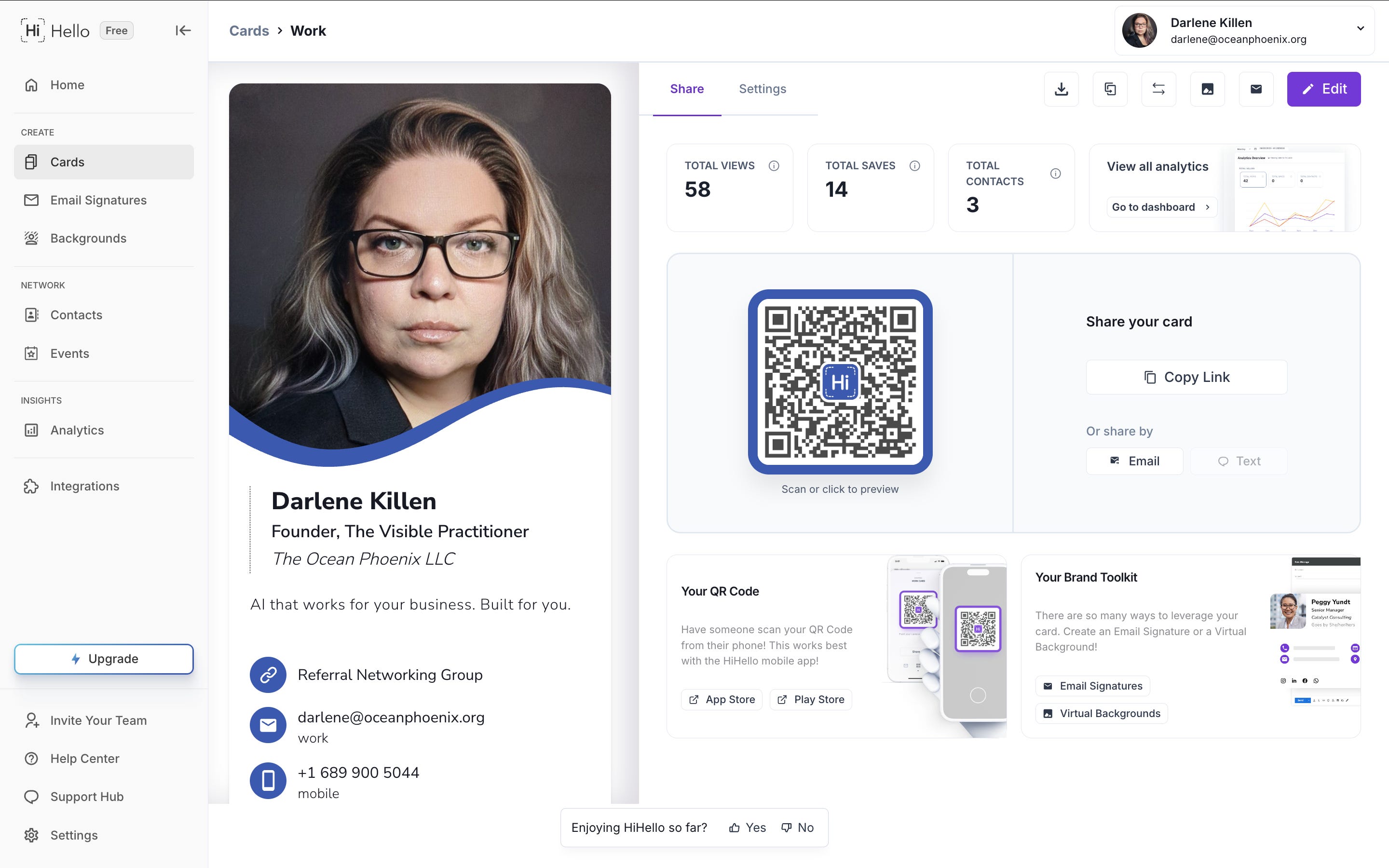
The printed card and the card page still show my face. The saved contact doesn’t. That part is on iPhone, not the digital card or the QR code.
The part nobody tells you
Whether AI can find your card online comes down to one toggle switch and one empty box.
The switch
It’s buried in the settings. It’s called something like Search Engine Indexing, and it’s off by default.
Off means Google and AI can’t see the card. On means they can.
Pretty much nobody flips it, because nobody knows to open that screen. It’s never suggested when you’re setting up the card.
The empty box
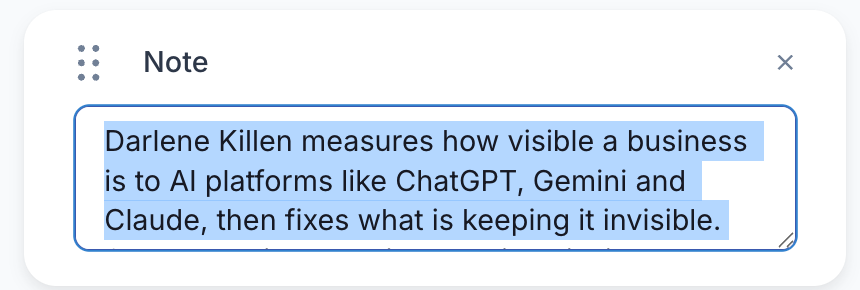
That’s the note field I mentioned. Most digital cards ship with contact fields and nothing else.
Leave the note empty and an AI can confirm you exist. That’s all. It doesn’t understand what you do.
So fill that field with what you do, who it’s for, and where you are. If someone’s searching by location, AI needs to know what city to use.
Without it, you’re harder to recommend when someone asks for a person in their area who does what you do.

How long it took, what it cost
Start to finish, about an afternoon.
It costs nothing to keep running. No agency, no retainer, no monthly fee. If you run out of printed cards, you pay to print more. That’s it.
What still doesn’t work the way I expected
There’s no clean branded link for my card. That’s paywalled by the digital-card company, so my card address is an ugly string.
If someone looked at it hard, it might read as off-brand. But it lives inside the QR code and nobody reads it. It doesn’t bother me enough to pay for polish nobody sees.
The AI part isn’t instant. Indexing went on in August. The description went on September 1.
Three weeks after the build, I searched for an AI visibility consultant in my own city. Eight other providers came up. Not me.
That was expected. The card page is a weak ranking asset on its own. Its job is to be correct when something else sends AI to it. I’ll post the numbers as they move.
Why I show this part
This is a learning curve, and my whole thing on The Visible Practitioner is to show both sides of it.
AI is the Wild West right now. Anyone who tells you they executed something like this flawlessly is lying.
I’m too transparent for that. My work is what you see is what you get. I own my mistakes and I fix them.
Where the idea came from
TechTiff published her version in July 2025, before I built mine. Hers turns the cards you collect into saved contacts and follow-ups from one photo.
Mine works the opposite direction for this part of the project: it makes my own card save itself into other people’s phones. Together, both sides are covered.
Her build:

(July 2025).
What I’m building next
This card handles my side. I meet someone, they scan my card, and I’m in their phone.
The other half is the cards I collect, and right now that part is still a little clunky. I like it a lot. It does the searching for me so I walk in sharp on why I’d network with this person and how I could be useful to them.
And because I’m bad with names, I can search my contacts by industry or job type and it pulls the person up.
I’m still testing and refining it, so I’m not ready to post about it yet.
The goal is the same: save time and money, especially on leads and warm referrals. And the person across from you can tell you put the effort in to make them feel seen and valued for their time. You can’t get time back.
What part of your day annoys you?
What’s the thing you’d love an AI tool to just handle for you?
Chances are we can figure it out together without you learning a new app. You just talk to Claude or Gemini or ChatGPT, and the AI does the backend work.
Tell me what it is. I love building these for people and writing about it. Let’s talk.
FAQ
What’s a smart business card?
A printed card with a QR code that saves you into someone’s phone on scan and links to a digital profile that Google and AI can read.
Does the scan save my contact automatically?
It opens your digital card with a save button, so the person adds you in one tap. No typing.
Will this make me show up in ChatGPT?
It makes your card cleanly indexed and gives it a description an AI can quote. No single index feeds every AI, so broad, clean indexing plus real content is the goal.
Do I have to learn new software?
No. I build it out of tools that already exist and hand it back finished.
Works cited
Aggarwal et al. “GEO: Generative Engine Optimization.” KDD 2024. https://arxiv.org/abs/2311.09735
“Grounding with Google Search.” Google AI for Developers. https://ai.google.dev/gemini-api/docs/google-search
“Introducing ChatGPT search.” OpenAI, Oct 31, 2024. https://openai.com/index/introducing-chatgpt-search/
Zhang, Ye, Peng, Garimella, Tyson. “Source Coverage and Citation Bias in LLM-based vs. Traditional Search Engines.” HKUST-Guangzhou and Rutgers University, December 2025. University research, preprint. https://arxiv.org/abs/2512.09483
Chen, Wang, Chen, Koudas. “Generative Engine Optimization: How to Dominate AI Search.” University of Toronto, September 2025. University research, preprint. https://arxiv.org/abs/2509.08919